






Connect your AI assistant to Cubli and manage your hosting in plain language: “Set up WordPress for Bakkerij Jansen”, “How is my site doing?”, “Show me the latest errors” or “Connect bakkerijjansen.nl”. Nothing to install.
What you need
- A Cubli account in which you are an owner or admin of the workspace.
- The connector’s address:
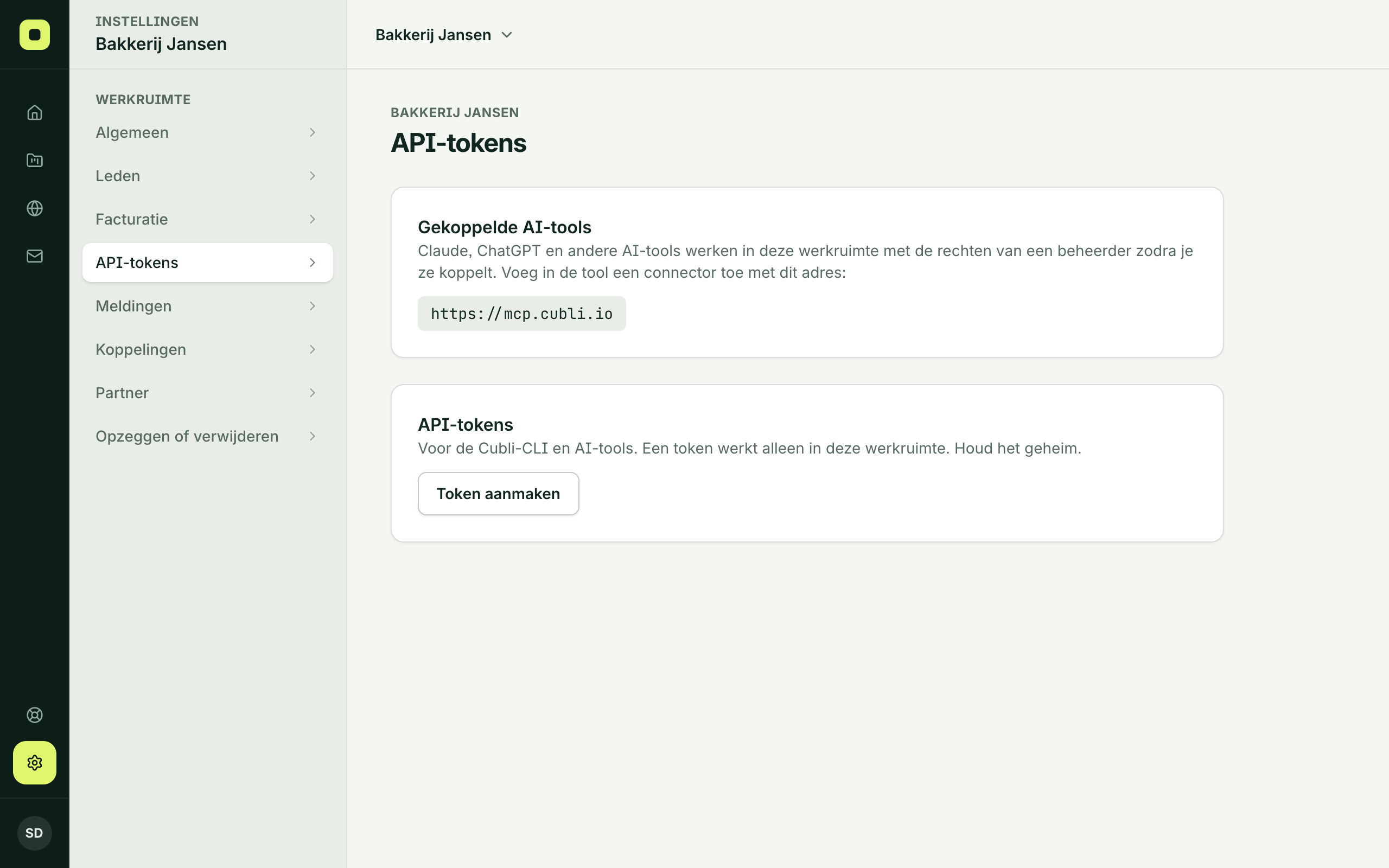
https://mcp.cubli.io. You also find it in Cubli under Settings, API tokens, in Connected AI tools.
Connect Claude
In claude.ai or the Claude app:
- Go to Settings, then Connectors.
- Choose Add custom connector.
- Name:
Cubli, URL:https://mcp.cubli.io. - Click Connect.
Connect ChatGPT
- Go to Settings, then Apps & connectors.
- Under Advanced, turn on developer mode if your plan asks for it.
- Create a connector with the address
https://mcp.cubli.io, signing in with OAuth. - Click Connect.
Menu names in Claude and ChatGPT change now and then. Can’t find them? Look for “connector” or “MCP”.
Then, at Cubli
- Sign in with your Cubli account and your second step, as always.
- Choose the workspace. Your AI tool works only in that workspace.
- Click Allow access. You are back in your AI tool and can start.
What your AI tool may do
The consent screen shows exactly what the tool may do. In short:
- Create and change projects, sites, databases, domains and DNS, like an admin.
- Start a new project with a plan, but only after you agree to the price, and at most 3 a day. You get the invoice by mail. If you pay automatically and delete the project within 3 days, it costs nothing.
- Not: order domains (searching is fine), manage members or tokens, or delete the workspace.
Secret variables stay hidden from your AI tool. More detail in What an AI tool may do.
Disconnect
Go to Settings, API tokens, and click Disconnect under Connected AI tools. The tool can no longer do anything, at once.
Working with code on your own computer?
An AI tool that works in a folder on your computer, such as Claude Code, Codex or Cursor, can also put that folder online itself. See MCP in Claude Code, Codex and Cursor.
Thank you for your feedback.What was missing? Mail it to support@cubli.io
Stuck? Mail support@cubli.io, or ask from your dashboard: Help