






You can now search for a domain and order it on cubli.io without making an account first. You pick your names, fill in your details and create your account just before paying.
What is new
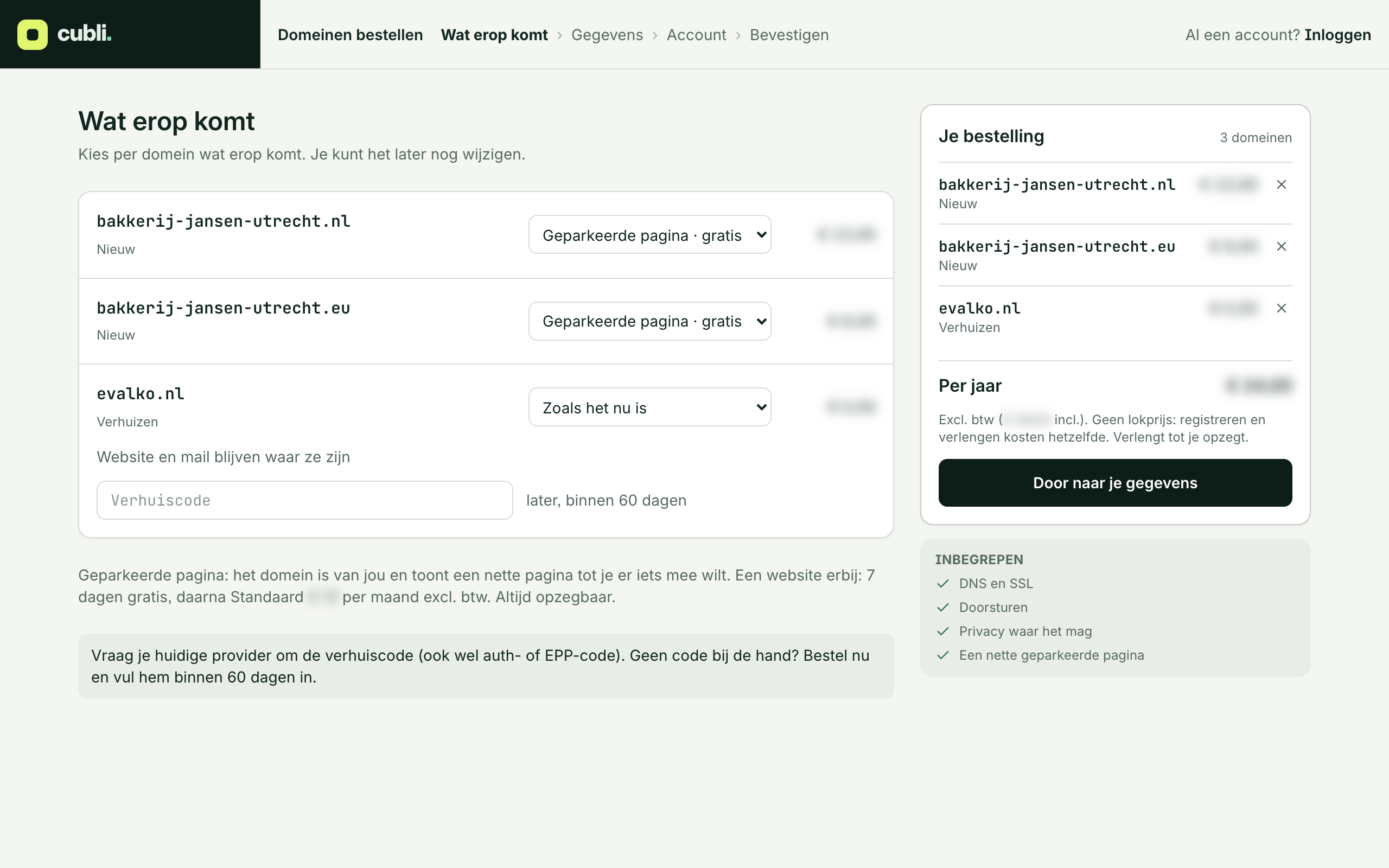
Until now you made an account first and then ordered in your dashboard. Now you click Order in the domain search and land on an order page with your domains ready, in four steps: What goes on it, Details, Account and Confirm.
Why
When you find a name, you want to claim it right away. Making an account first and then searching for the name again was one step too many.
How it works
- Search for your name in the domain search. Free? Click Add. Taken and yours? Click Transfer.
- Click Order. Choose what goes on each domain and fill in your details.
- Create your account and pay. You confirm your email address with a code we mail you. Your domains are then in your dashboard.
Already signed in? Then Order takes you to your dashboard, with the same domains already in your order.
More updates
All updatesQuestions? Mail support@cubli.io