






At Cubli your domains live in the same place as your sites: search, buy, transfer and DNS. No teaser price: renewing costs the same as registering. The prices per extension are on Domain pricing.
Search for a name
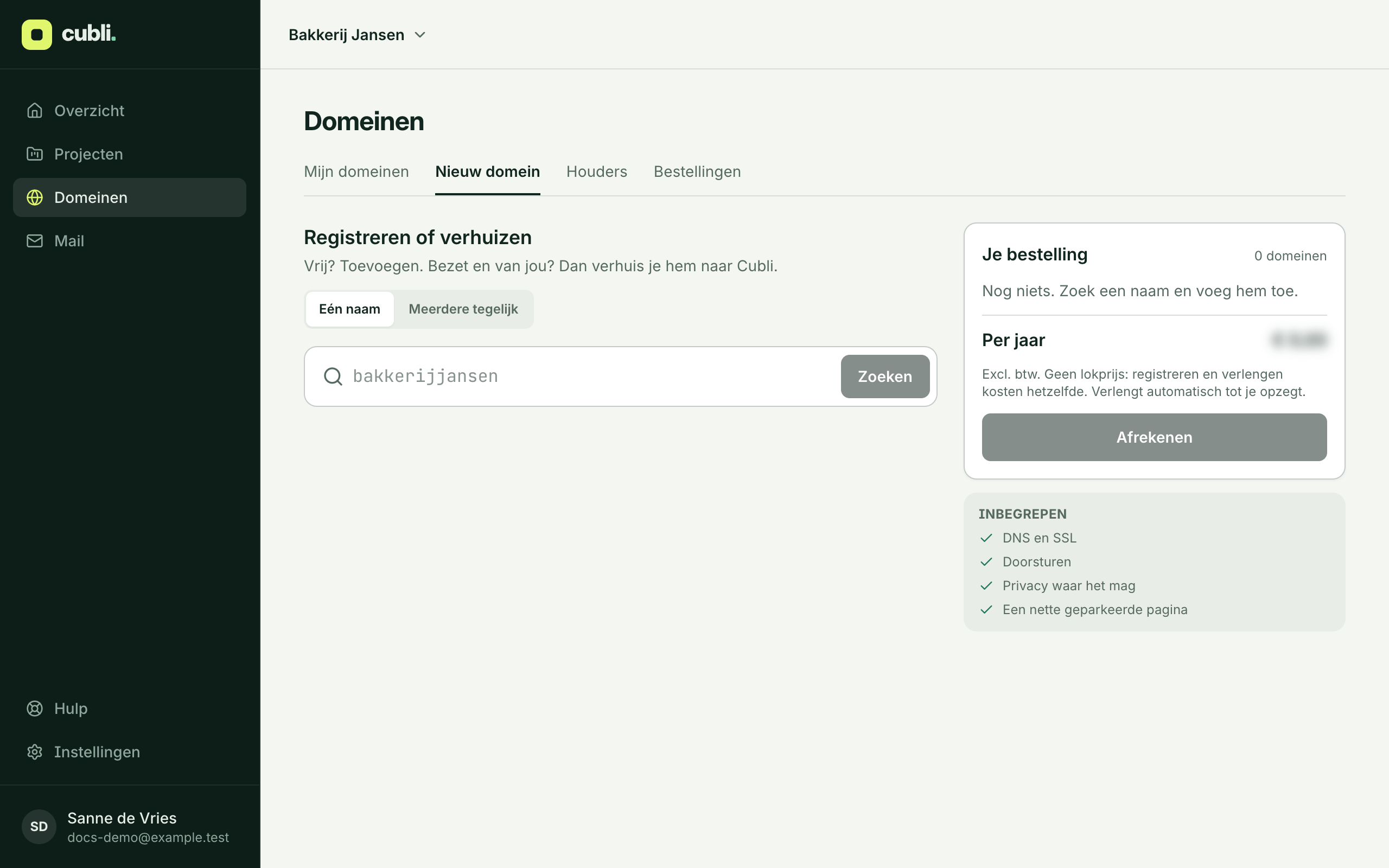
- Click Domains, then New domain.
- Type a name and click Search. Want many at once? Choose Several at once and paste up to 50 names, one per line or a column from Excel.
- If a name is free, click Add. If it is taken but yours, click Transfer under Yours?.
- Click Check out.
No account yet? You can also search and order on cubli.io. Your account is then made after payment.
Check out
Checking out has three steps: Choose, What comes on it and Confirm.
- Holder: who owns the domain. That is you or your business, not Cubli. Pick an existing holder or create a New holder. You can change contact details later, free.
- What comes on it: a Parked page (a tidy page until you want to use it), Forward to another address, or a site on Cubli. For a transfer you can also choose As it is now: your website and mail then stay where they are. You can always change this later.
- Transfer codes: for a transfer, ask your current provider for the transfer code (also called auth or EPP code). Don’t have it yet? Choose Later and fill it in within 60 days. Some extensions need no code: the registry then mails the holder to confirm the transfer.
- Click On to confirm and choose how to pay.
Pay
- Pay now, only this time (iDEAL or card).
- Pay now and from now on automatically: later invoices are collected automatically.
- Pay ahead by invoice: we only register the domain once your payment is in. Until then the name is not reserved for you. If someone else registers it first, it is gone.
A transfer takes from a few minutes (as with .nl) to a few days. Follow it under Domains, Orders.
Renewing and cancelling
Domains renew automatically, every year. You hear from us well before the renewal date. Don’t want to keep a domain? Cancel it on the domain’s page. You can do so until the renewal date.
Want to move a domain to another provider? Make a transfer code on the domain’s page.
What is included
DNS and https, forwarding, a parked page, and privacy of your details in WHOIS where the registry allows it.
Putting your site on the domain is explained in Connect your own domain.
Need help?
Some extensions need paperwork for the registry. We arrange those by hand: mail support@cubli.io.
Thank you for your feedback.What was missing? Mail it to support@cubli.io
Read next
Stuck? Mail support@cubli.io, or ask from your dashboard: Help