






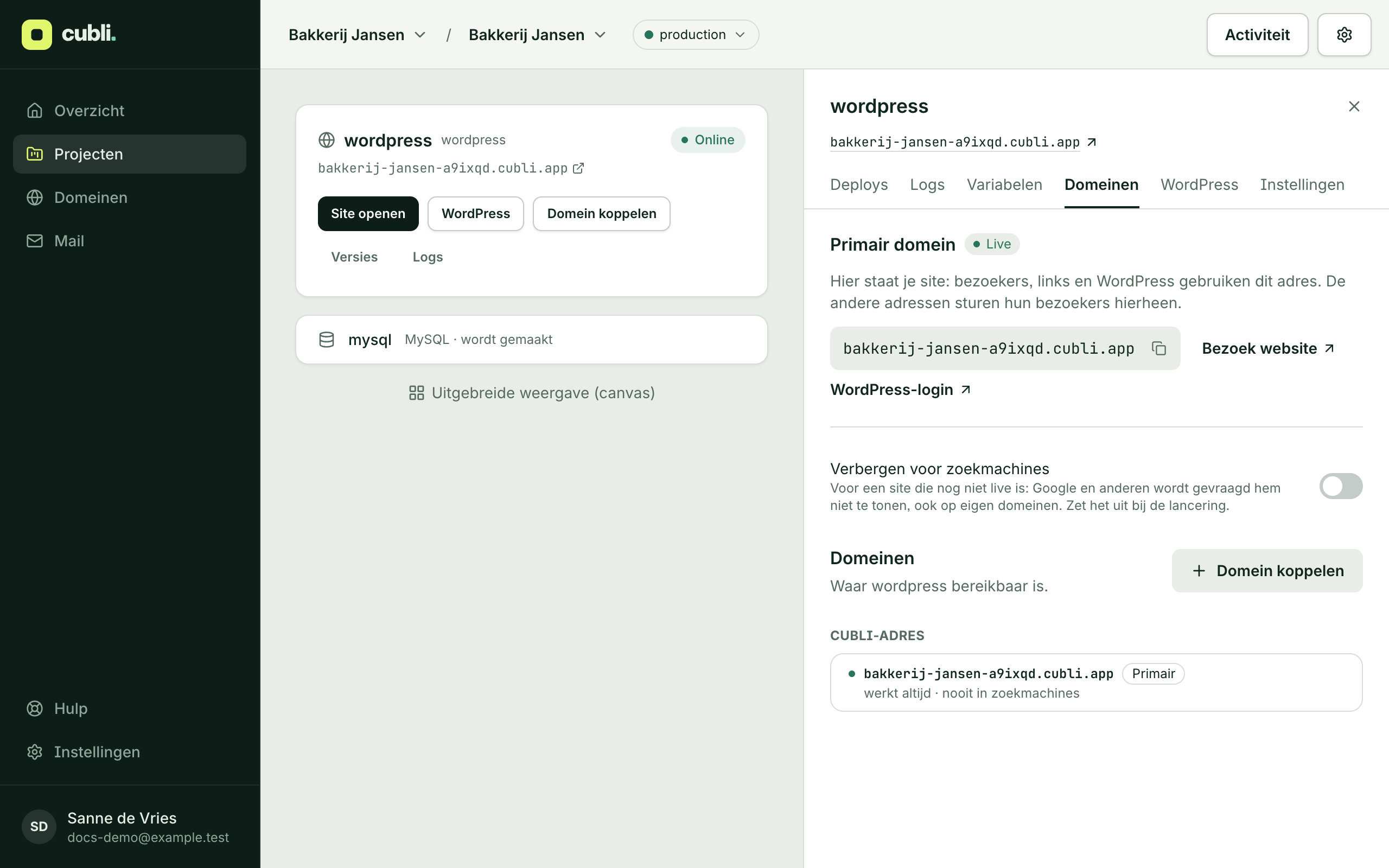
Your site starts on a Cubli address, such as bakkerij-jansen-a9ixqd.cubli.app. With your own domain, such as bakkerijjansen.nl, visitors find you under your own name. Cubli takes care of https: the certificate usually arrives within a minute of your domain pointing to Cubli.
Connect your domain
- Open your project and click Connect a domain. In the advanced view, the same button is in your site’s Domains tab.
- Type your domain, for example
bakkerijjansen.nlorshop.bakkerijjansen.nl, and click Connect.
When you connect bakkerijjansen.nl, Cubli connects www.bakkerijjansen.nl too. It redirects to your domain.
Is your domain at Cubli?
Then you are done. Cubli sets the DNS records itself and requests the certificate.
Is your domain somewhere else?
Then Cubli shows exactly what to set at your current provider, in three steps:
- Prove the domain is yours: a TXT record. It does nothing else.
- Point the domain to Cubli: the record (CNAME or A) that brings visitors to your site on Cubli.
- Https: Cubli requests the certificate. Nothing to do for you.
If Cubli knows your provider, you see a button to open it straight away. Copy each record’s name and value and add them there. Cubli checks every minute; Check looks right away. If old records still point elsewhere, Cubli tells you which ones to remove.
Once it works, you see that your domain is live with https. Just leave the records in place. Your email does not change: you don’t touch its records.
Your domain is at Cubli, but its DNS is still elsewhere
If your domain is already at Cubli but its DNS is still at another provider, you see the button Move the DNS to Cubli while connecting. Cubli takes over all existing records, your mail’s too, compares them and only switches once everything matches. From then on, Cubli sets your site’s records itself.
The primary address
If your site has several addresses (your domain, www and the Cubli address), one of them is primary: your site lives there, and the others send their visitors to it. Want a newly connected domain to be your site’s address? Click Make primary.
The Cubli address always keeps working and is never indexed by search engines.
Send other domains to your site
Have more domains, such as bakkerijjansen.com, that should lead to the same site? Add them under Redirects in the Domains tab. Tick Also www if that should redirect too. The path is kept: bakkerijjansen.com/contact goes to the same page on your primary domain.
Not ready for visitors yet?
Still building the site? In the Domains tab, switch on Hide from search engines. Google and other search engines are then asked not to show the site, on your own domain too. Switch it off when the site goes live.
No domain yet?
Registering a domain or moving one to Cubli is explained in Register or transfer a domain.
Thank you for your feedback.What was missing? Mail it to support@cubli.io
Read next
Stuck? Mail support@cubli.io, or ask from your dashboard: Help