






Contact forms, order confirmations, forgotten passwords: your site sends mail. On Cubli it goes through Cubli Mail, so it arrives instead of ending up in spam. A WordPress site on Cubli uses it by itself. Your plan includes a number of mails a month; the settings show how many you have sent.
Cubli Mail is for mail from your site, such as forms and confirmations. It is not meant for newsletters, and it does not include mailboxes.
Where to find it
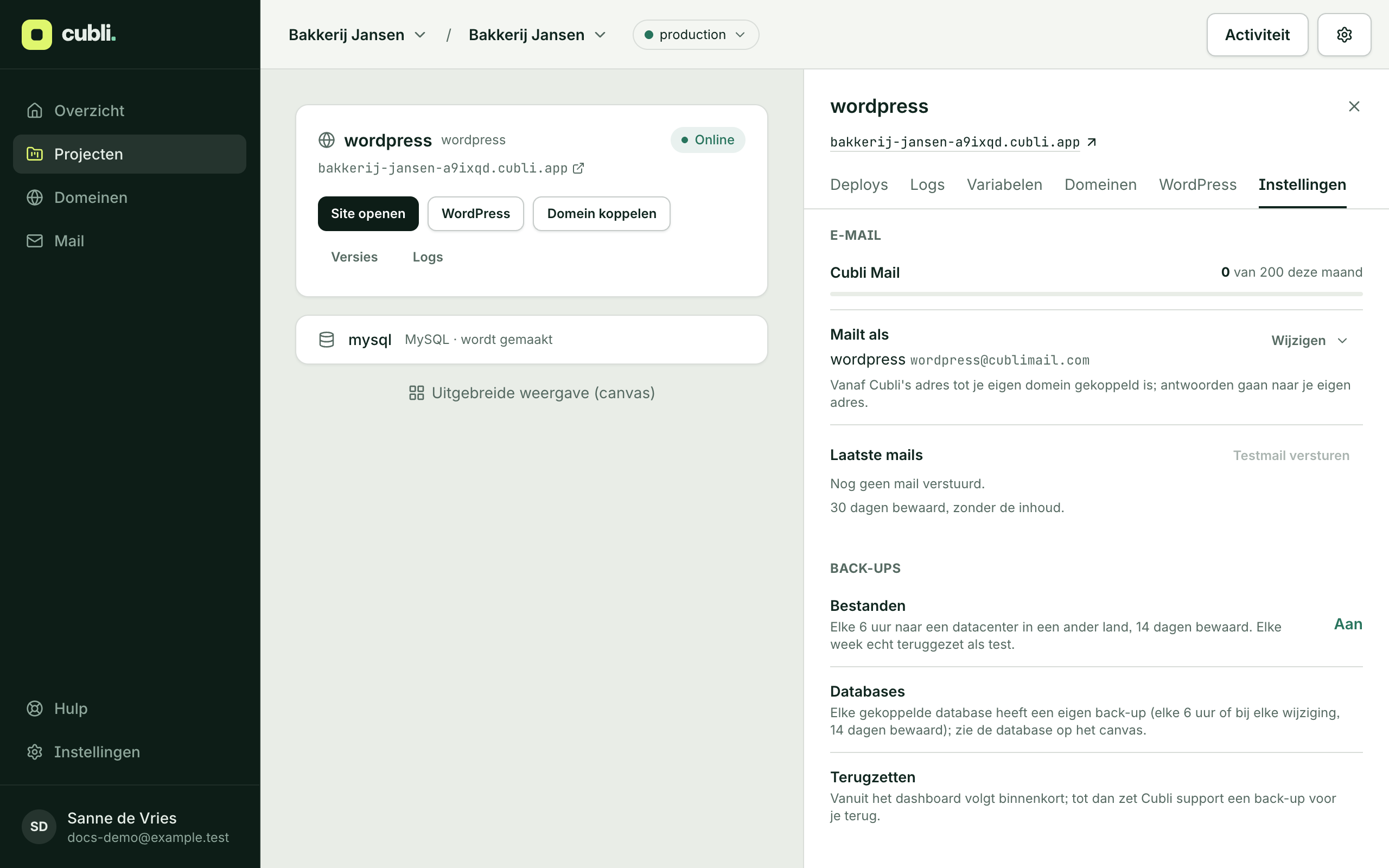
Open your project, click your site, choose the Settings tab and scroll to E-mail. At the top you see whether mail works and how many mails you sent this month.
Sender and reply address
Mails as shows the name and address your site mails from. Click Change to adjust:
- Sender name: the name recipients see, for example “Bakkerij Jansen”.
- Replies go to: when someone replies to a mail from your site, it arrives here, for example in your own inbox.
- Sender address: the address on your own domain, once that is connected (see below).
Mail from your own domain
Until your own domain is connected, your site mails from a Cubli address, with replies going to your own address. That works fine. Want mail to come from your own domain, such as info@bakkerijjansen.nl?
- If your site already has its own domain, click Mail from followed by your domain’s name.
- Otherwise click Change, fill in your domain under Another domain and click Add.
If your domain’s DNS is at Cubli, Cubli sets the records itself, usually within the hour. If it is elsewhere, you see which records (type, name, value) to add at your DNS provider. Cubli checks every few minutes; Check looks right away.
See what was sent
Last mails shows what your site sent, and whether it arrived. We keep this for 30 days, without the content. Send a test mail sends you a test.
If an address bounces or its owner reports spam, we stop sending to it. You see those addresses under Blocked addresses. If it was a mistake, click Allow again.
When mail is paused
If many mails don’t arrive, or recipients mark them as spam, Cubli pauses sending and the settings show why. Often it is a form that spambots abuse. Mails your site sends in the meantime are held.
- Fix the cause, for example with a captcha on your form.
- Click Send again. The held mails then go out after all. Don’t want them sent? Click Send again without them.
You can do this yourself once a week. If it pauses again after that, mail support@cubli.io.
Need more mail?
Need more mails a month than your plan includes? Mail support@cubli.io.
Thank you for your feedback.What was missing? Mail it to support@cubli.io
Stuck? Mail support@cubli.io, or ask from your dashboard: Help