






Your site moves while it stays online. You don’t share any passwords: you install one plugin on your current site, and it sends everything to Cubli in small pieces. Cubli then checks every table and every file.
Before you start
- You have a project on the Standard plan or higher. WordPress needs a database, and Static has none. See Put your first site online.
- You can sign in to the admin (
/wp-admin) of your current site as an administrator.
Start the move
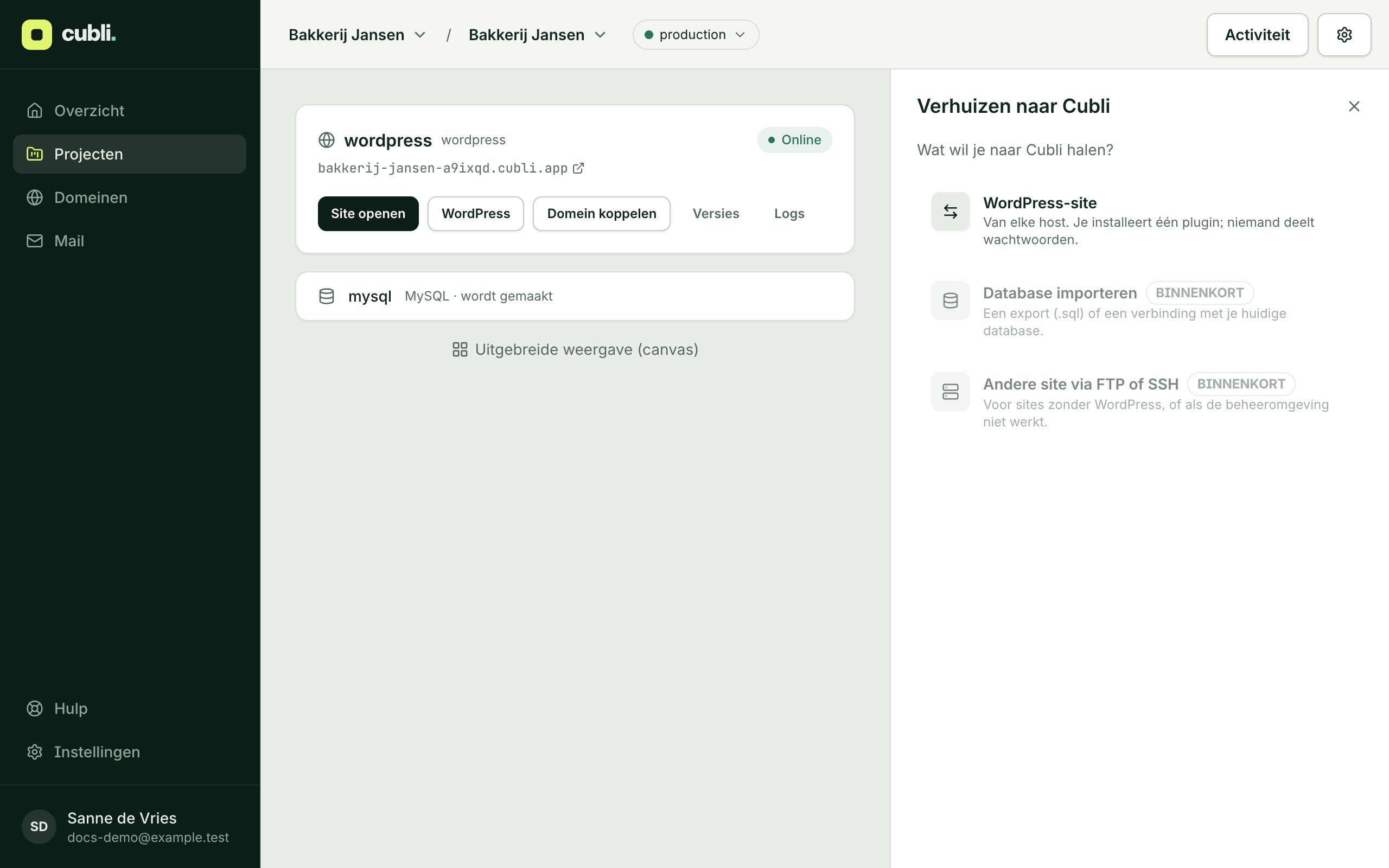
- Open your project and click Move to Cubli. Already something in your project? Then right-click the canvas in the advanced view and choose Move to Cubli.
- Choose WordPress site.
- Fill in the Address of your current site.
- Is it a webshop? Tick It is a webshop. Visitors then see a maintenance page while it moves, so no order gets lost.
- Click Download plugin. You get the file
cubli-migrate.zip. It only works for this move and is valid for 7 days.
Install the plugin
- In your current WordPress, go to Plugins, Add New Plugin, Upload Plugin.
- Choose the file
cubli-migrate.zipand click Activate. - The plugin’s screen opens by itself. Click Move to Cubli.
Usually Cubli then carries on by itself. If the plugin says to keep the page open, do so until it is done. If the connection drops for a moment, the plugin continues where it was.
The dashboard shows how far it is and how long it still takes. You can close that panel: you get an email when it is done.
When it is done
You get a mail with the result: how many tables and files were checked, and how fast your site answers on Cubli compared to your current host. Your site is now on its Cubli address. Your visitors still see your old host.
- Look at your site on the Cubli address. Click around, sign in and try a form.
- All good? Connect your domain. See Connect your own domain. Only then do your visitors go to Cubli.
- Your email keeps working where it is now: connecting your domain does not touch your mail records.
Cancel your old hosting only once your domain is live on Cubli and everything has run well for a few days.
Not working?
If the move stops, the dashboard shows why, and what you can do. Your current site keeps running. Put it in place again retries the last part, New move starts over.
Stuck? Mail support@cubli.io with your site’s address. We’ll take a look.
Thank you for your feedback.What was missing? Mail it to support@cubli.io
Read next
Stuck? Mail support@cubli.io, or ask from your dashboard: Help